Windows
Background monitoring, blocking and time limits, screenshots, and local-network management and reporting.

Blanket Fortress helps parents monitor activity, provide limited timed access, block access when needed, and manage Windows PCs, Android devices, and supported smart TVs with a local-first approach. Add 30 minutes and have a device automatically shut off when time is up, start with soft monitoring before moving to firm blocking, and manage the household without handing over control to a mandatory cloud service.

Grow beyond one phone or one PC without turning every new screen into a pricing decision.
Keep everything at home with standalone or self-hosted setups, then add hosted convenience only if you want it.
Blanket Fortress spans Android device modes, a parent phone remote, and a Windows web interface built for rules, review, and day-to-day household management.
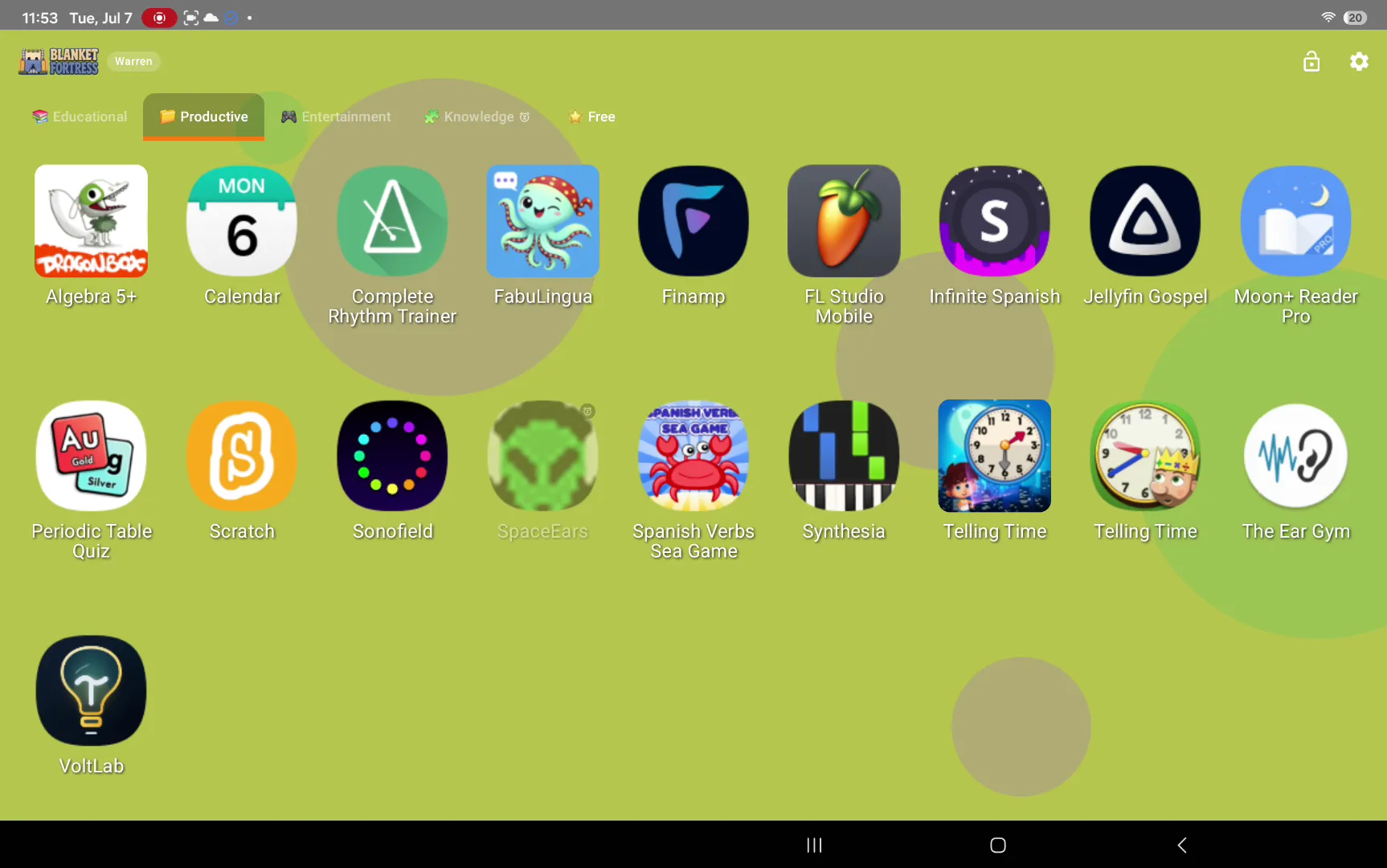
Switch between a full child home screen and Background Mode, configure per-app and per-category limits, and manage Android devices over the local network.
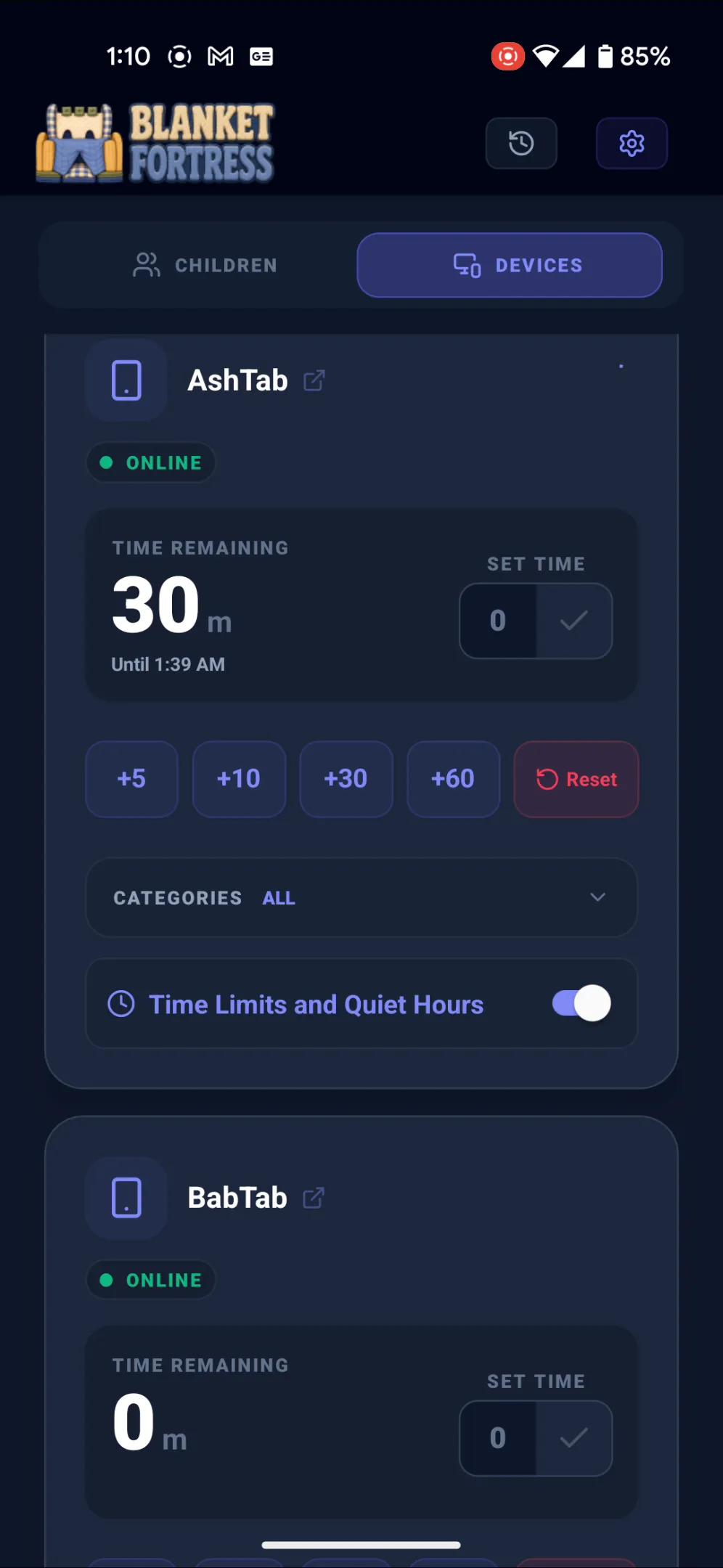
Add, spend, and deduct screentime allowance remotely, then push time directly to children's devices from the parent remote app and widget.
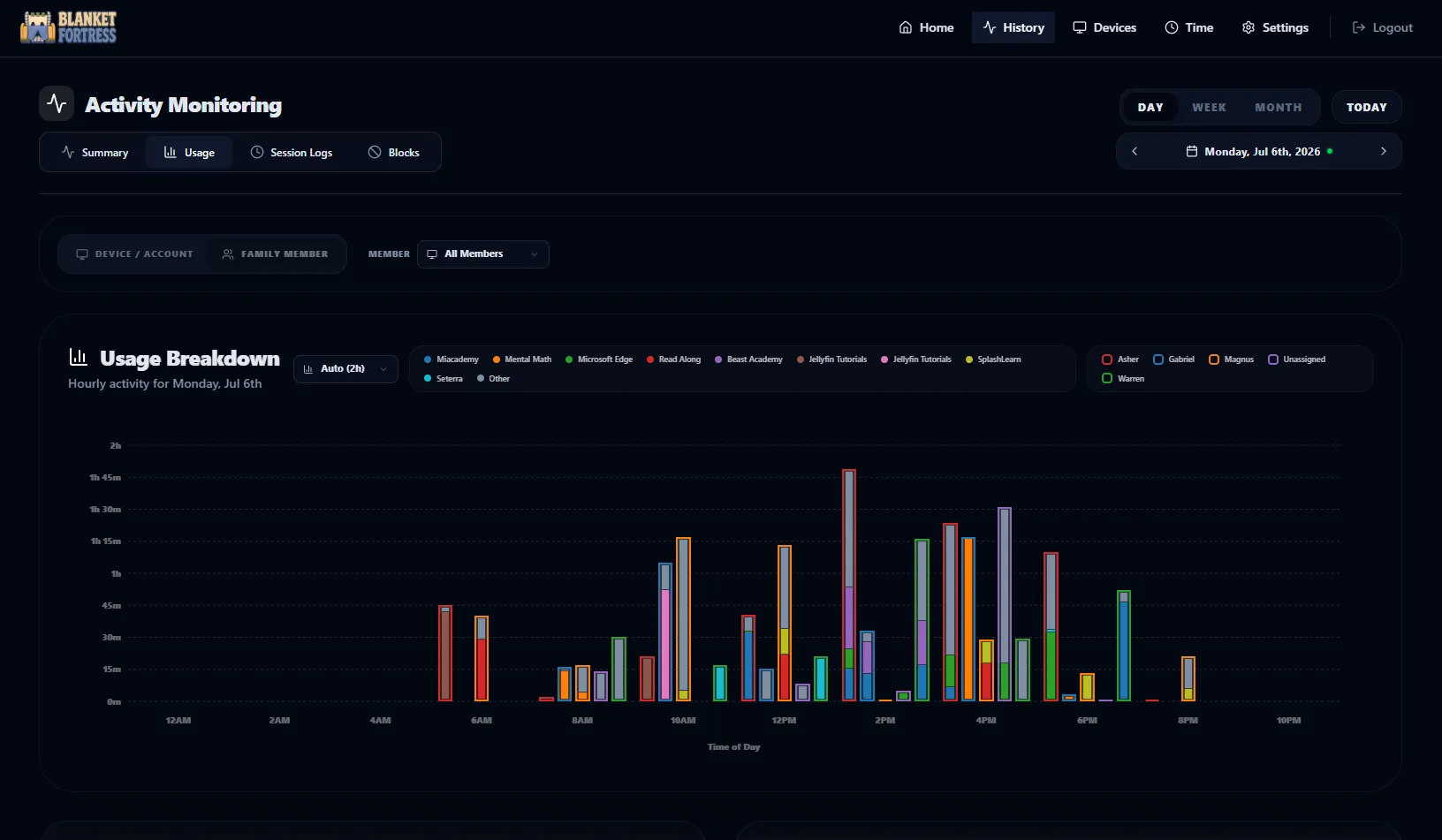
Review active windows, session logs, summaries, usage charts, sensitive keyword alerts, and remote device actions from the Windows web interface.

Blanket Fortress fits mixed-device households, not just a single-device timer or a phone-only dashboard. That matters when real homes span laptops, tablets, TVs, and phones at the same time.
Background monitoring, blocking and time limits, screenshots, and local-network management and reporting.
Usage monitoring, app limits, quiet hours, launcher replacement mode, and a parent-controlled browser path.
Parents can review activity from a PC-based manager or a phone-oriented remote app, with centralized control when a local manager is running.
A self-hosted manager can extend oversight to more of the screens that actually matter at home.
Families can use Blanket Fortress directly on a device, expand to a self-hosted manager for broader household control, or choose an optional cloud path for easier remote access.
Install directly on a Windows PC or Android device for a simple setup with local monitoring and control.
Run one local manager when you want centralized reporting, broader household coverage, and smart TV control.
Choose hosted convenience for away-from-home access without making cloud dependency the default path.
Parents can review usage history, monitor device state, and apply controls from the available management surfaces while keeping the setup local-first.
Join the mailing list to be notified when we're ready for public beta testing.
The goal is not just to block things. It is to save parents time, make exceptions easier to handle, and give enough context to respond before a bad habit becomes a bigger safety problem.
Timed access, scheduled unlocks, and daily limits reduce the constant back-and-forth around when screen time is supposed to end.
Temporary unlocks, add/spend/deduct allowance tools, and remote time grants let parents say yes when needed without dismantling the whole system.
Usage summaries, session logs, screenshots, and keyword alerts help parents understand what happened before they change rules or step in.
Android devices, Windows PCs, parent phones, and local-network dashboards all work together so parents are not managing each screen in isolation.
A quick look at how Blanket Fortress fits into real family routines, not just how it is priced or hosted.
It cuts down on repetitive enforcement work. Daily limits, quiet hours, scheduled unlocks, temporary exceptions, and remote allowance tools mean parents do not have to manually police every device transition themselves.
Blanket Fortress combines prevention and review. Parents can block apps and categories, require work completion before access, monitor usage history, review screenshots, and use sensitive keyword detection on Windows to flag concerning activity for follow-up.
Often, yes. Android devices can expose a local-network web dashboard, Windows machines host the same web interface over the local network, and the parent remote app can adjust screentime balances and apply time from a phone.
That is a supported path. Families can start with background monitoring, summaries, and usage review, then turn on stricter app, category, device, or user rules when a situation needs more structure.
Yes. Blanket Fortress is free for Windows and Android in standalone mode, and self-hosted managers are free as well. Only the optional Blanket Fortress Cloud service is paid.
No. You can use Blanket Fortress with standalone or self-hosted setups and keep everything local. Cloud is only there for families who want simpler remote access.
Yes. Standalone and self-hosted setups work without internet access. An internet connection only matters if you choose the optional cloud path.
No. Blanket Fortress is built to stay free for as many devices as your household needs.